GreatHabits help
Parent guide
Everything you need to set up GreatHabits and use it with your family.
If you opened this guide from GreatHabits, the app is still waiting in the previous tab. Close this page to return.
Open GreatHabitsReturn to your family's tasks📱 On an iPad or phone: open GreatHabits in Safari, then choose Share → Add to Home Screen to use it full-screen.
What do you need help with?
1 · Set up your family
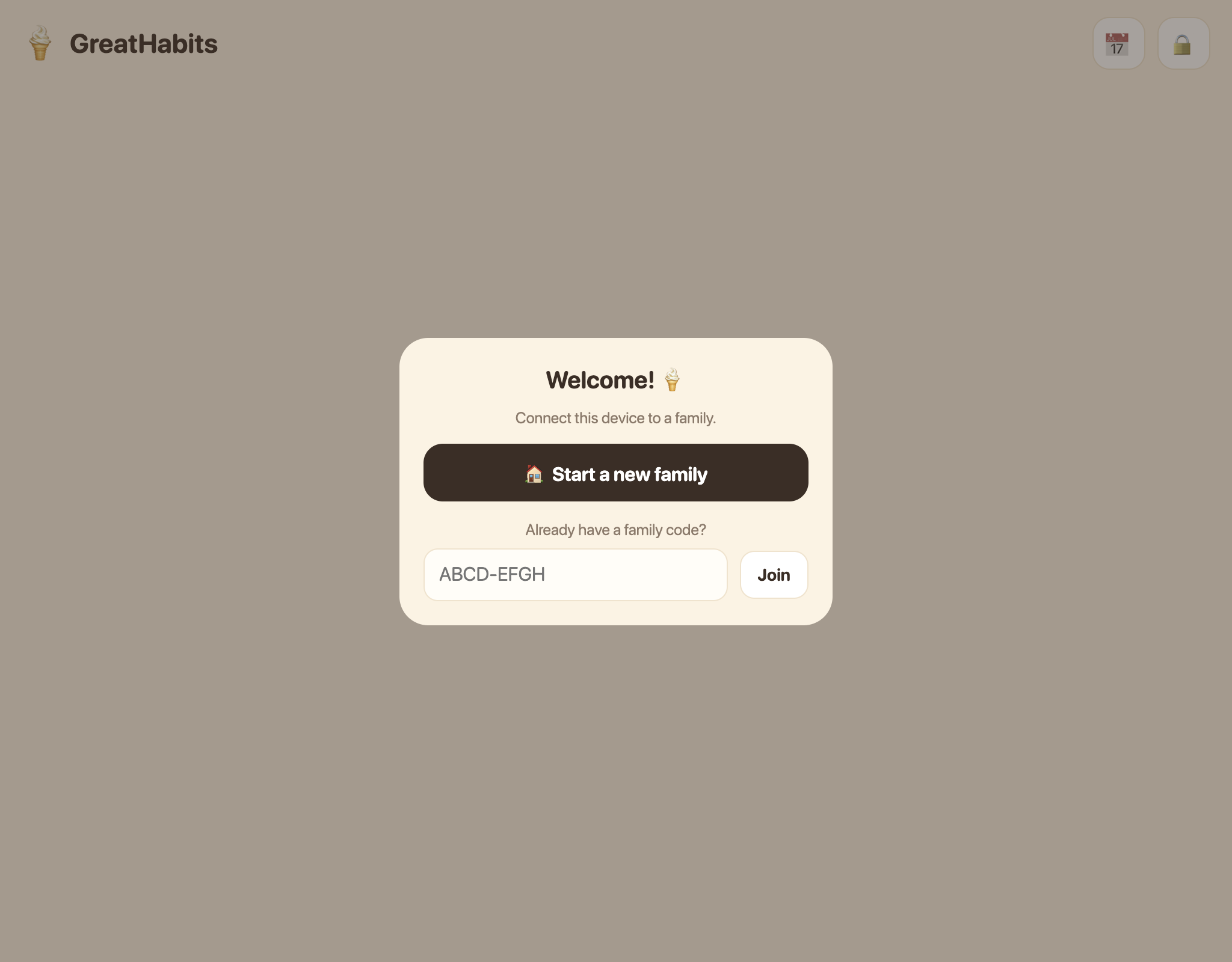
There are no accounts or passwords. On first launch, tap 🏠 Start a new family — you'll get a family code (like TR7PK-2MQ4X). Enter that code on your other devices via Join so they all share the same lists.
Worried about losing it? On the code screen (and later behind 🔒 → Code), tap 📤 Share or 📧 Email me this code. The email address is used once and is not stored.
Two codes, two different jobs
2 · Kids tick their tasks
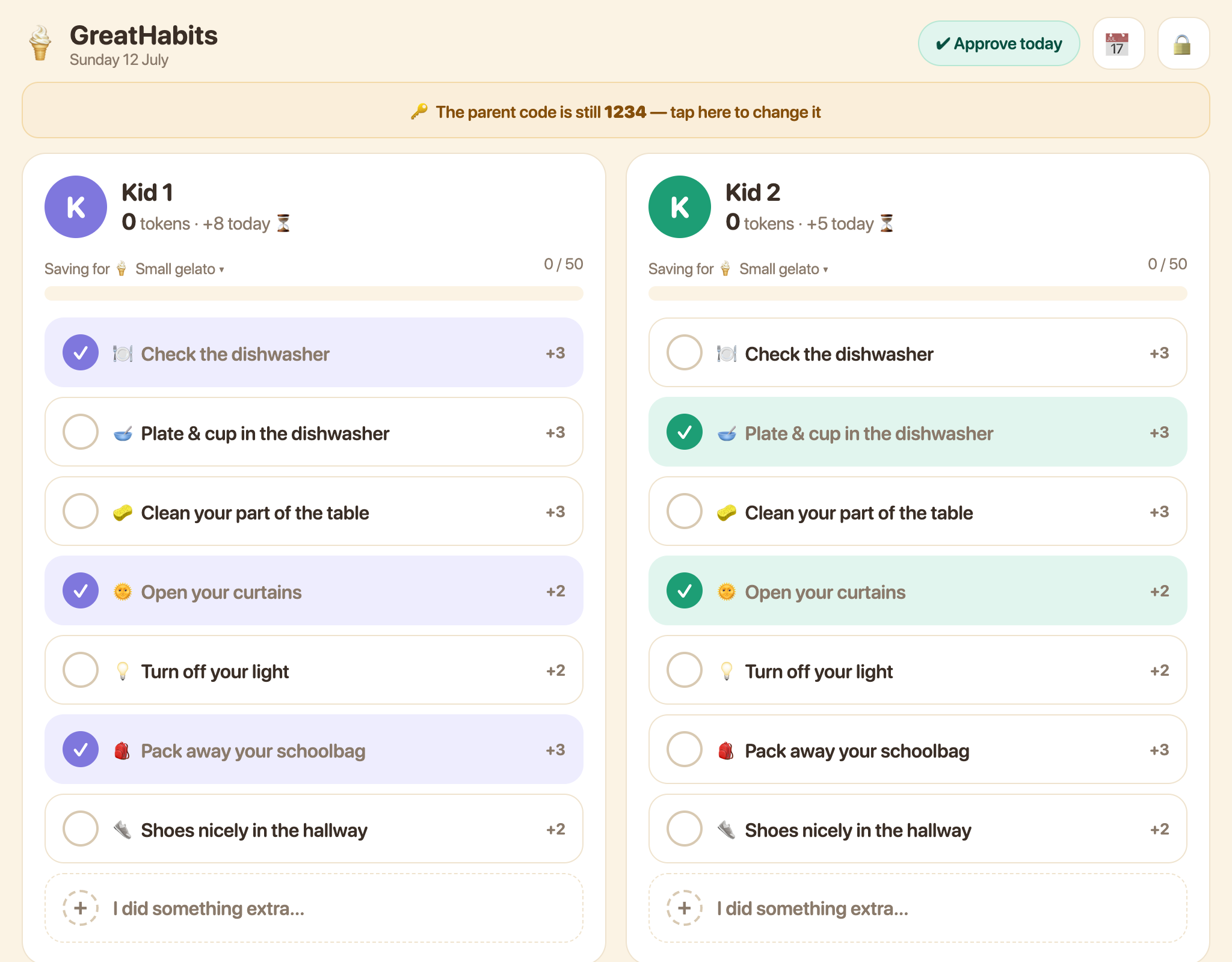
Each kid has a column. When they've done a task without being reminded, they tap it. Tokens stay pending until a parent approves the day. Did something extra, such as watering the plants? They can add it themselves via + I did something extra….
3 · Approve the day (evening ritual)
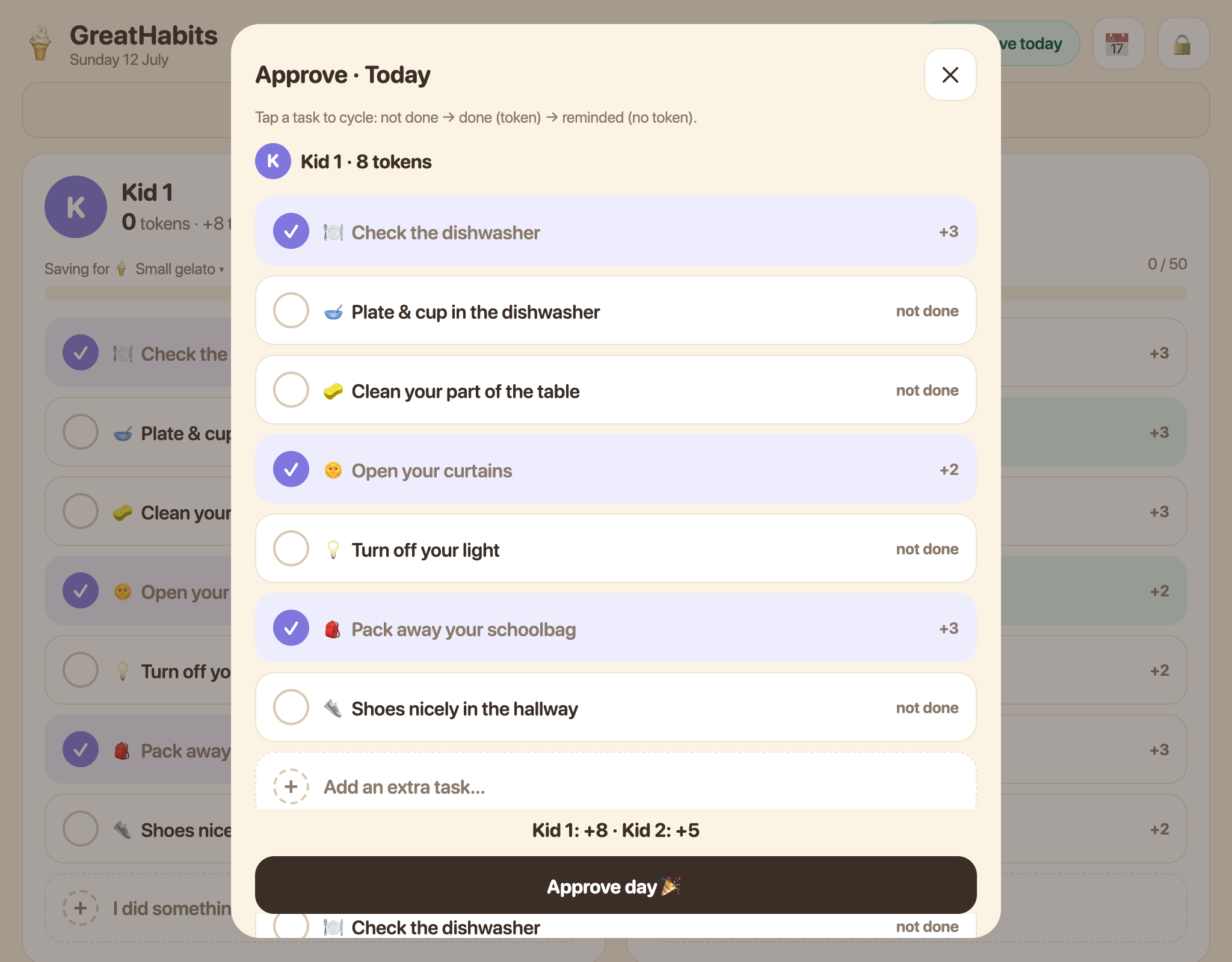
Tap ✔ Approve today at the top. Review each kid's list and tap a task to cycle between not done → done (token) → reminded (done, but no token). Then tap Approve day and enter the four-digit parent code. Missed days wait as amber chips at the top.
4 · Parent settings and code
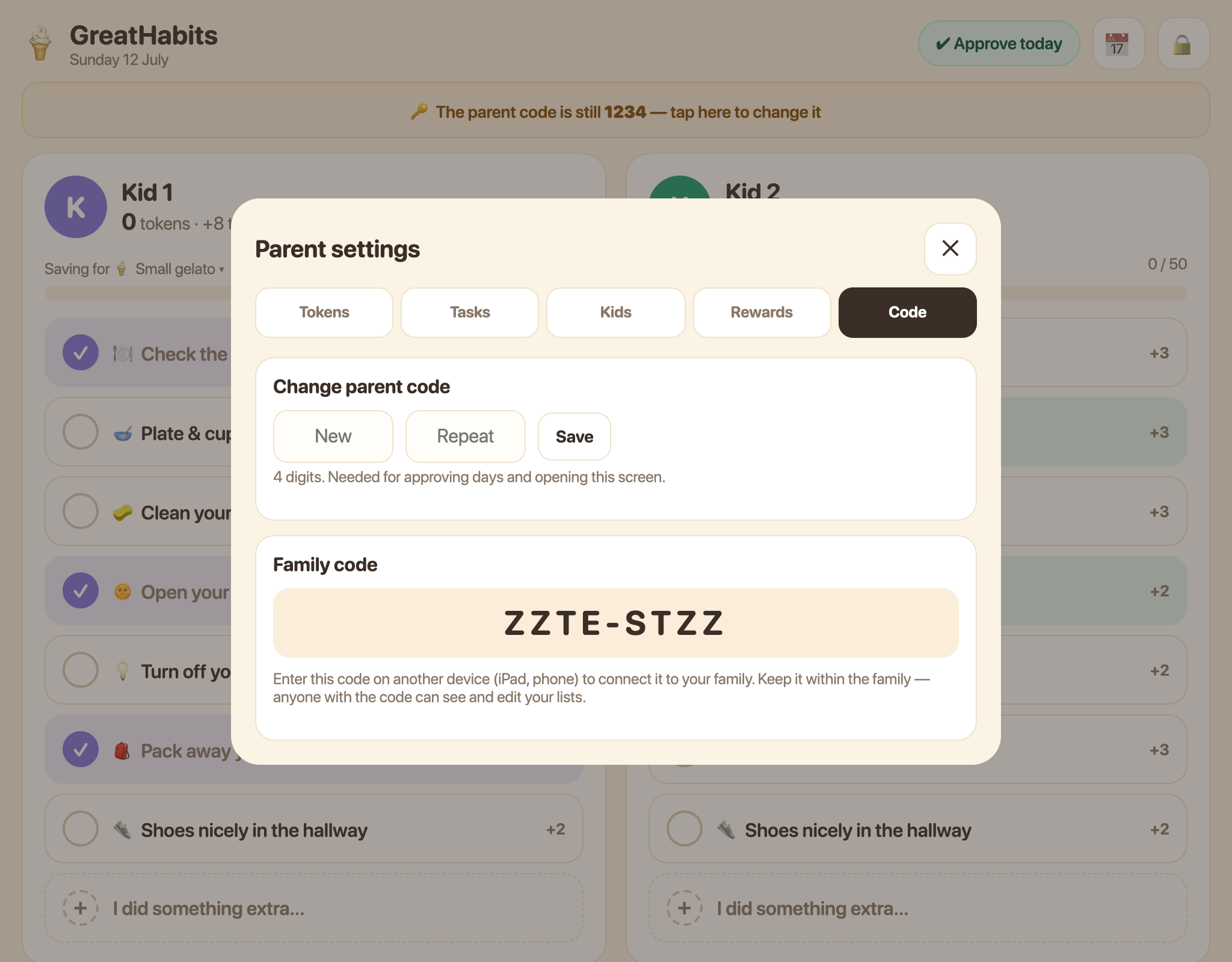
Tap 🔒 and enter the parent code to manage tokens, tasks, kids, rewards and codes. The parent code starts as 1234; change it under Code by entering a new four-digit code twice. Your family code lives on the same screen.
5 · Set up the tasks
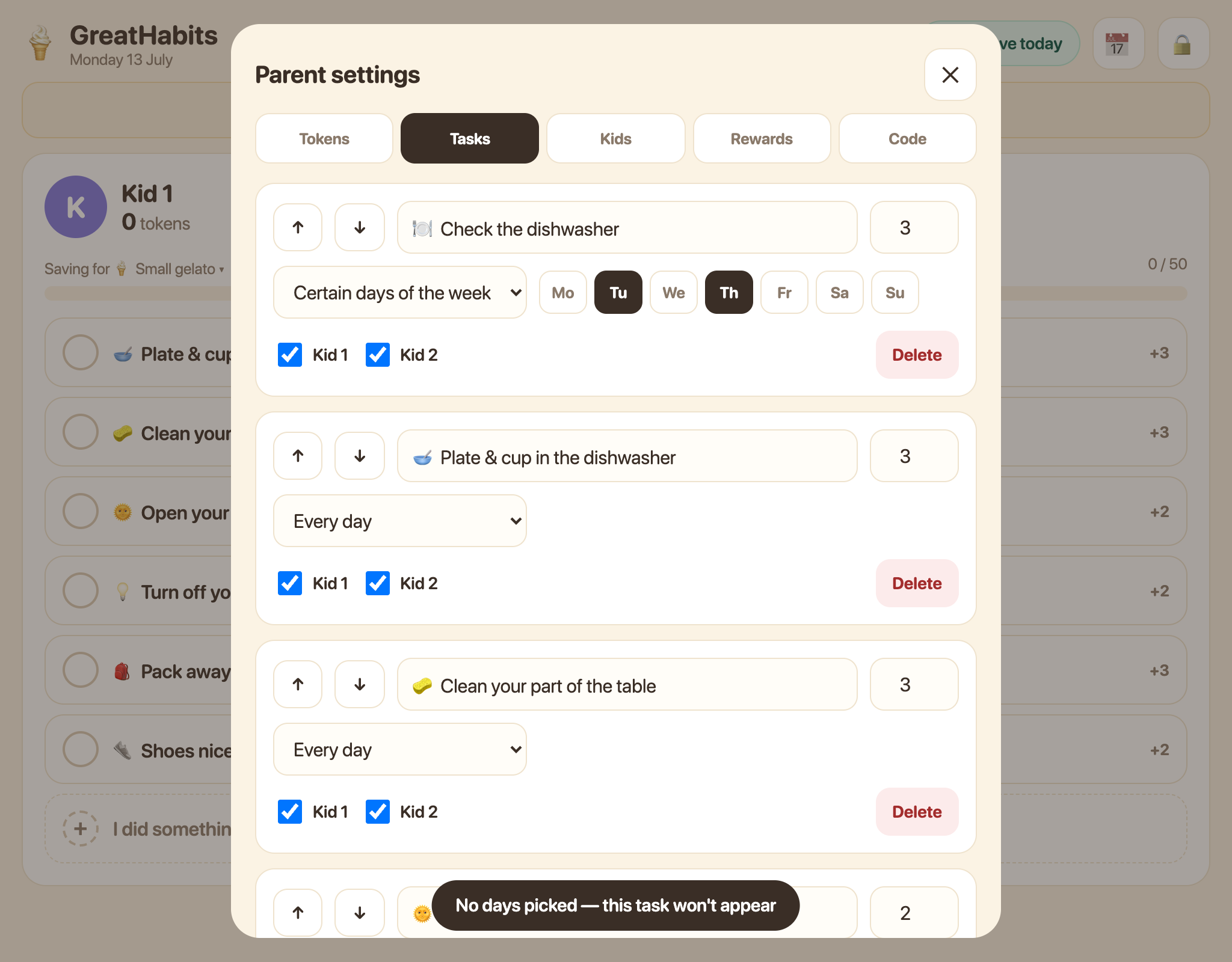
Open 🔒 → Tasks. Each task has a name, token value, schedule and checkboxes for the kids who receive it. Schedules can be every day, selected weekdays or monthly. Use ↑↓ to reorder tasks and + Add task to create one.
6 · Rewards — what tokens buy
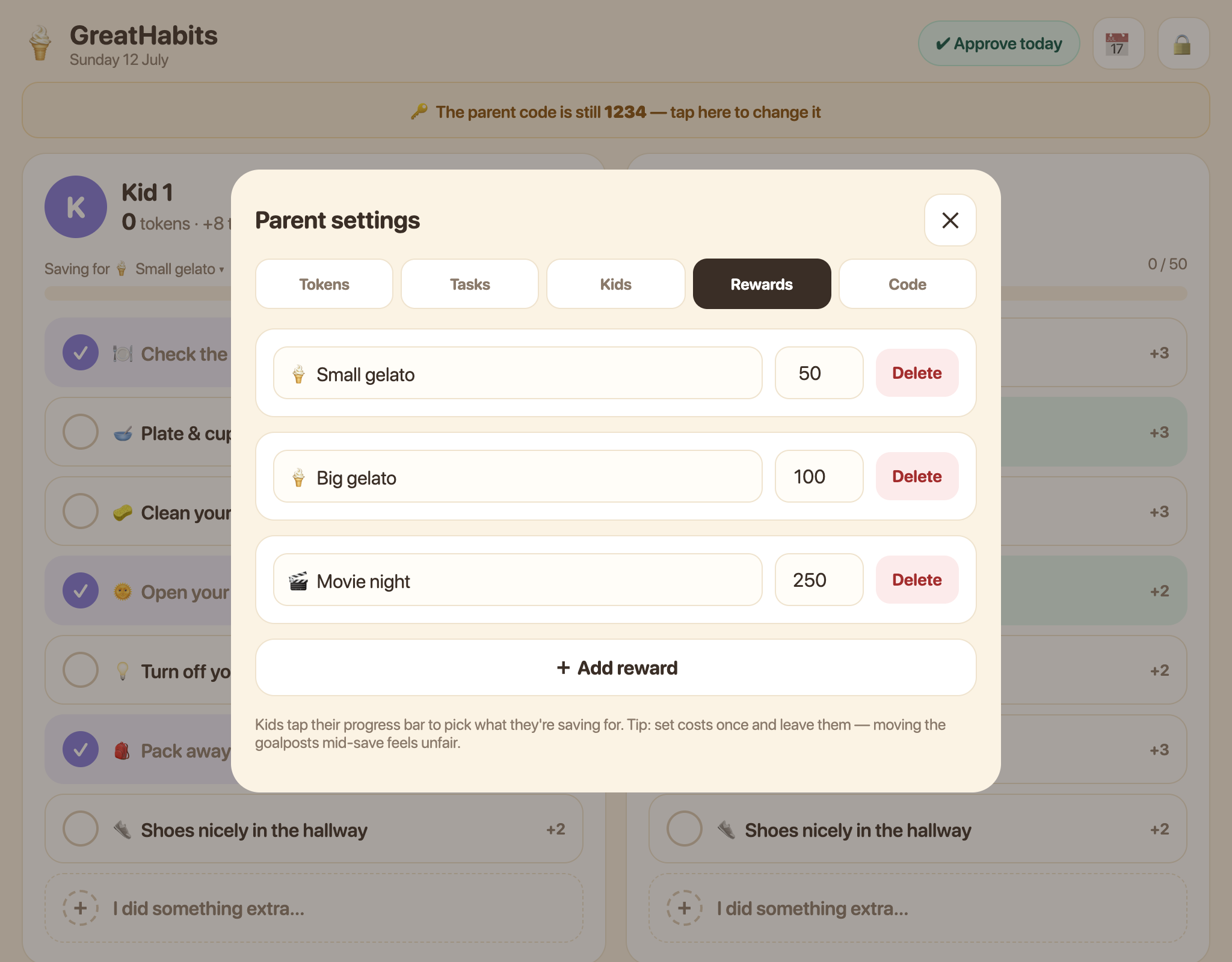
Open 🔒 → Rewards to define your family's rewards and their token costs — perhaps a small gelato for 50 or movie night for 250. Set costs once and keep them stable; moving the goalposts mid-save feels unfair.
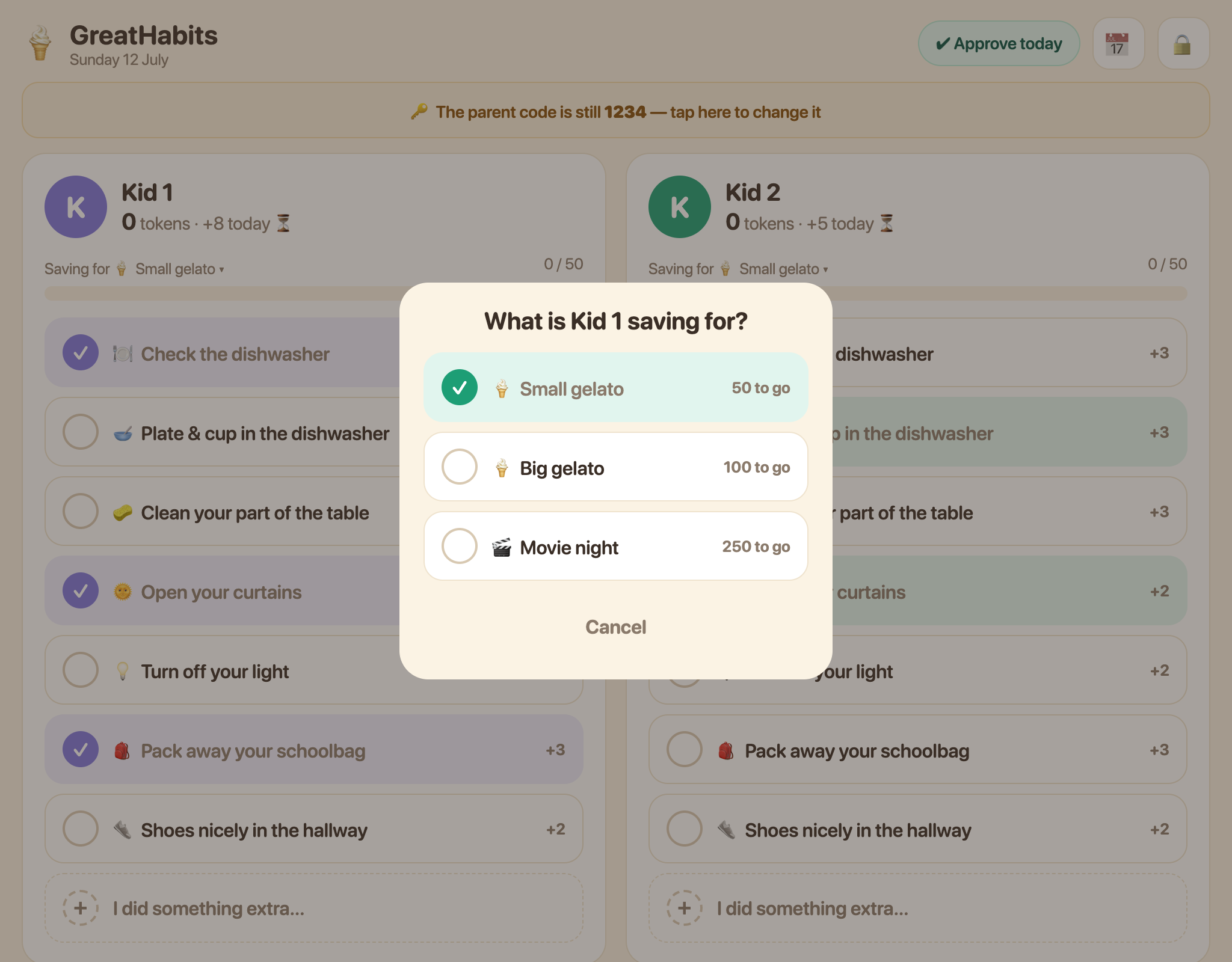
Each kid taps their own progress bar to choose what they're saving for.
7 · Tokens and history
- 🔒 → Tokens: cash in a reward, set a starting total, or make an adjustment with a reason. Every change appears under Recent activity.
- 📅 shows the latest 14 calendar days, including days with no recorded activity. Tap Load 14 more days to go further back.
- For an unrecorded day, open it and choose ✏️ Review unrecorded day. Enter the parent code, review the tasks and approve when ready.
- For an approved day, open it and choose ✏️ Reopen this day to correct and approve it again.
Troubleshooting
Another device is not syncing
Check that both devices are online and joined with the same family code. Reopen GreatHabits on both devices; changes normally appear within a few seconds.
Where is the family code?
Open 🔒 → Code. You can share, email or rotate it there. Rotating stops the old code from connecting new devices but keeps existing devices connected.
Why are today's tokens still pending?
Tokens only join the balance after a parent opens ✔ Approve today, reviews the list and approves with the parent code.
What does “reminded” mean?
The task was completed after someone reminded the child. It counts as done, but it does not earn a token — GreatHabits rewards remembering independently.
Why is a task missing today?
Check its schedule and kid assignment under 🔒 → Tasks. A task may only appear on selected weekdays or a particular day of the month.
How do I install GreatHabits?
On iPhone or iPad, open it in Safari and choose Share → Add to Home Screen. On Android, open it in Chrome and choose Add to Home screen or Install app.
💡 Our house rule: a routine task earns a token only when it was done unasked. Around 20 tokens a day is achievable. Cash in small rewards often or save for something bigger — choosing is half the lesson.
A Kairo Digital project · Made with ❤️ · GreatHabits home · Open the app